Recently, I came across a really sweet flash which I love to make it as my laptop's screensaver. So I try googling the web to search for any software converter that can convert the flash file into a windows screensaver, and luckily I found one, well it is not a software but a free web service, called Creamshavers.
Creamshavers is a totally free web service to create windows screensavers from Shockwave Flash files. Just upload your swf flash file and Creamshavers will produce a windows installer .exe with a totally nag-free fullscreen windows screensaver.
How to Convert Flash to Screensaver?
1. The procedure is rather easy. First, log into Creamshavers dot com, scroll down until you see the similar form as shown below. Then, browse for the flash file that you want to convert and fills in other required info.
2. Then hit the "Create Screensaver" button and your screensaver installation package will be ready to be downloaded any time.
3. Download the installation package into your computer. Once completed, double click the installer and install it.
4. Done! You can try to preview the screensaver now. :-)
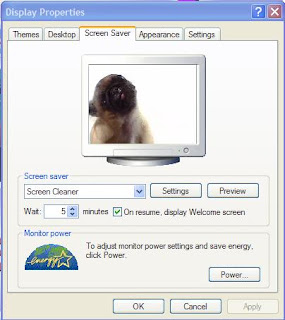
Last but not least, this is the flash that I have converted into the screensaver, called the Screen Cleaner. If you like it, you can download it here [Flash Version] and convert it yourself. Happy trying! :-)
Are you a Sudoku maniac, who seem can't live any longer without solving Sudoku puzzles everyday? If so, I may have the right stuff for you, which people called it "Sudoku Loo Roll!". It's just like the ordinary toilet paper at your home but with Sudoku puzzles printed on it. Sound cool for the true Sudoku fans out there, right?
So what are you waiting for? Go grab this Sudoku toilet paper, roll it and solve the puzzles. And don't forget a pencil and an eraser. :-)
P.S. : Playing Sudoku is a lot of fun even in the toilet, but never get your mum yelling at you and say, "What take you so long inside the toilet? Are you done with your project (you know what I mean)?". :-)
This is one-of-it-kind gadget that is able to test your kissing skill with your partner. ( Sound interesting? ) Valentine's day is approaching and you might want to surprise your partner with this gadget and get her/him into this fun love test. I am sure that this year's Valentine will be different and enjoyable with this "Kissing Love Tester" by your side. :-) Wow, this will be a lot of fun!
This is how this gadget works :
1. Hold the heart with a partner
2. Pucker up and kiss, making sure only your lips touch
3. If love is in the air the heart will glow and play music to let you you are made for each other!
4. If love isn't in the air the heart will be sure to let you know by sounding a buzzer. (When this happen, you are in trouble!)
I am sure that everyone knows about Google Holiday Logos, which temporarily replace Google's official logo on a particular day purposely to remember a special holiday or event.
I am not going to show you the "approved version" of the logos, instead I'm showing you the logos which didn't make it as the proud members of the Google Holiday Logos. So let us take a look of these rejected logos.
Inside the Google Logos' Reject Shop
Supposed to be celebrating: Children’s Day 2003. Reason for rejection: Too childish.
Supposed to be celebrating: 150 Years of Cigarettes. Reason for rejection: Too politically incorrect.
Supposed to be celebrating: 50th Anniversary of Product Placement. Reason for rejection: Starbucks didn’t pay enough.
Supposed to be celebrating: 5 Years of Google motto “Don’t be evil.” Reason for rejection: Too self-obsessed.
Supposed to be celebrating: 130th Birthday of Mondrian. Reason for rejection: Too abstract.
Supposed to be celebrating: 20th Anniversary of the Nintendo Entertainment System. Reason for rejection: Severe complaints by the Pet Duck Association.
Supposed to be celebrating: The 65th Birthday of Googol, a 1 with 100 zeroes. Reason for rejection: Too geeky.
Supposed to be celebrating: This was one of two drafts to honor M.C. Escher. Reason for rejection: Too creepy.
Supposed to be celebrating: Two decades of the JPEG image compression algorithm. Reason for rejection: Compression too lossy.
Well, all the 10 so called "rejected Google logos" are actually fake ones created by someone ( which also I don't know). The actual man behind designing of the Google logos is Dennis Hwang and all the previous Google Holiday Logos is stored here inside the Museum of Google's Holiday Logos. Have a nice day! :-)
 Recently, I came across a really sweet flash which I love to make it as my laptop's screensaver. So I try googling the web to search for any software converter that can convert the flash file into a windows screensaver, and luckily I found one, well it is not a software but a free web service, called Creamshavers.




 Are you a
 This is one-of-it-kind gadget that is able to
 I am sure that everyone knows about Google Holiday Logos, which temporarily replace Google's official logo on a particular day purposely to remember a special holiday or event.


