I have think for a while before I come to this decision, that is to
transfer my blog from Blogger platform to Wordpress platfrom. I am glad that finally I've decided to switch to wordpress (about 5 months blogging on Blogger). Soon, it will be the time to kiss goodbye to Blogger!
So talking about wordpress, I am learning it now... slowly. A little challenging for me! Oh yes, a lot of new information for me to swallow. And about the domain name and web hosting, I already bought my domain name, not steveyu.com or steveyu85.com because someone has bought the domain name before me! So I get another domain name. On the second thought, I think I have made a mistake in getting the domain name first, I should have bought the web hosting plus the domain name together in the same package. Okay, I've learned from my mistake.
Which web hosting to choose?This issue is currently playing on my mind, which web hosting should I get? (or
which web hosting company offered the best web hosting package but at a much lower price? I am short of money, that's why I used Blogger in the first place) On my preferred list now is dreamhost. But I am willing to hear any better recommendations from you.
Wordpress plugins? Help me pick!Picking the right plugins for my wordpress blog is making me headache. So I am interested to learn what plugins that you installed on your blog.
Who have transferred from blogger to wordpress before?If there anyone who have the experience of transferring their blog from blogger to wordpress? Is there any issues occurred or difficulties during the transfer?
If everything goes on smoothly, my blog will have a new home by next month (hopefully).
(Read More...)
Labels:
Blogging
I have covered about
BlogBackupOnline some time ago. Well, BlogBackupOnline is not the only blog backup service available online. It has a friend, named
BlogBackupr. Basically, these two blog backup services are quite similar. So you may want to choose only one blog backup service to do the backup.

Here is several items to take note about BlogBackupr.
- BlogBackupr works for all blogs that have a RSS-feed (Blogger and Wordpress's blog are included)
- The backup will include all posts, comments and categories
- Doesn't backup media files e.g. images and blog template. (This service may available in the future.)
- Will automatically performs a daily incremental backup
- You can export your blog to desktop in XML, HTML or TXT format.
- Support automatic restore to your Blogger or Wordpress blog.
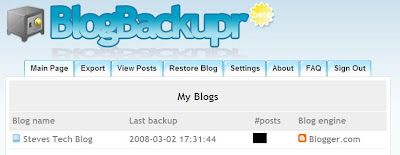 The Dashboard
The features offer by both BlogBackupOnline and BlogBackupr are similar except that BlogBackupOnline supports media files backup while the other doesn't. So that's what differentiate both services. So,
I go for BlogBackupOnline.
And you?
(Read More...)
Labels:
Blogging,
Internet,
Tips n Tricks
Nobody wish to see their blog turn into disaster the next day and can't do anything to rescue it because they never run blog backup the day before. So blog backup is crucial because we never know what going to happen to our blog the next day. Trying to
manually back up your blog is complex and time consuming, you sure don't want spend a lot of time on it right?

So if you are looking for a web service that can help you backup your entire blog content with ease,
BlogBackupOnline is the answer. You'll only need to set up BlogBackupOnline once, and then you stop worrying about back up ever again because BlogBackupOnline will manage all the backup tasks for you.
Back Up Your Blogger Blog Online
The sign up process is quick and simple, all you need to do is fill up the sign up form, register your blog and ready to start your first full blog backup. If you want to backup image files, make sure you check the option shown below.

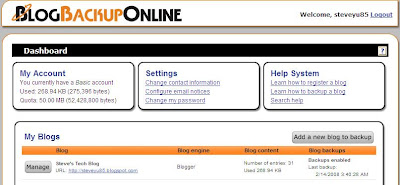
After the full backup has completed, you will then be able to manage the backup of the blog from the dashboard. BlogBackupOnline will automatically performs a daily incremental backup to find new posts, new comments, and other changed content.
Export Your Blog to Desktop
You don't get unlimited storage to store all your blog back up files on the web. You are only allocated 50 mb for the back up purpose. So you might want to export your blog to desktop. Here's how. From the dashboard, click the "Manage" button for the specific blog that you want to export. Then select the "Export" tab and click the "Download export file" button. If in case you do run out of space, you can always ask for more space by emailing BlogBackupOnline at morespace [at] techrigy [dot] com.

Happy Trying!
(Read More...)
Labels:
Blogging,
Internet,
Tips n Tricks


