Previously, I have shown you how to convert flash movie into a windows-based screensaver by using a free web service, called Creamshavers. Besides creating your flash based screensavers directly from the web, you also can choose to do it from your desktop. All you need is InstantStorm.
InstantStorm is a Windows freeware tool for creating Flash based screensavers with many advanced features. All you have to do is to choose a SWF file, set screensaver parameters and compile an executable installer. All 32-bit and 64-bit versions of Microsoft Windows are fully supported, including Windows 95 and Windows Vista. And the best of all—there are no nag screens or other annoying stuff. Unlike many other tools, InstantStorm allows you to fully customize your screensaver's about box, installer and uninstaller including all texts.
Create Your Screensaver in 3 Simple Steps There are plenty of options to customize your screensaver, but if you choose not to get headache with all the options, you can use the New Project Wizard (most prefer to beginner) and get your screensaver done in 3 simple steps.
Recently, I came across a really sweet flash which I love to make it as my laptop's screensaver. So I try googling the web to search for any software converter that can convert the flash file into a windows screensaver, and luckily I found one, well it is not a software but a free web service, called Creamshavers.
Creamshavers is a totally free web service to create windows screensavers from Shockwave Flash files. Just upload your swf flash file and Creamshavers will produce a windows installer .exe with a totally nag-free fullscreen windows screensaver.
How to Convert Flash to Screensaver?
1. The procedure is rather easy. First, log into Creamshavers dot com, scroll down until you see the similar form as shown below. Then, browse for the flash file that you want to convert and fills in other required info.
2. Then hit the "Create Screensaver" button and your screensaver installation package will be ready to be downloaded any time.
3. Download the installation package into your computer. Once completed, double click the installer and install it.
4. Done! You can try to preview the screensaver now. :-)
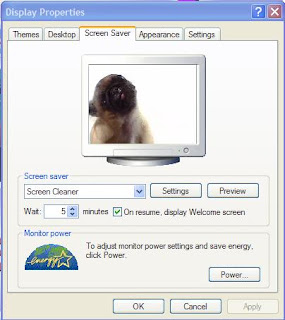
Last but not least, this is the flash that I have converted into the screensaver, called the Screen Cleaner. If you like it, you can download it here [Flash Version] and convert it yourself. Happy trying! :-)


 Recently, I came across a really sweet flash which I love to make it as my laptop's screensaver. So I try googling the web to search for any software converter that can convert the flash file into a windows screensaver, and luckily I found one, well it is not a software but a free web service, called